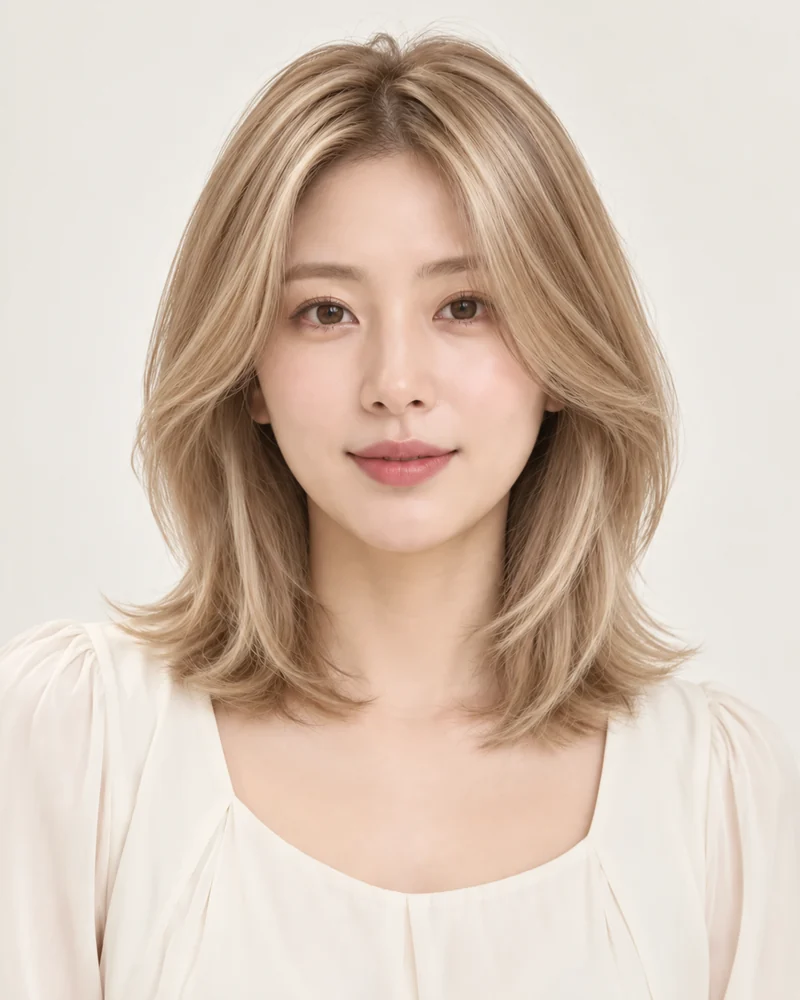
What is this style?
Blonde covers a range of warm and cool tones. TryOnMe’s Blonde preset targets a natural honey-beige direction, distinct from its pale Platinum Blonde preset. This is a color-only edit: your existing hair shape, face, clothes and background remain the sources of truth.
Blonde Hair Variations
Beige Blonde
A soft neutral-warm direction.
Cool Blonde
A paler, less golden effect.
What does it look like?
Look for warm blonde highlights that follow your existing strands and lighting. Your bob, long layers or curls should remain the same shape; only the hair pigment should change. The separate reference image communicates shade, not a new haircut.
Things to consider
Real blonde coloring can require lightening in stages depending on your starting shade. Ask a stylist about hair condition, undertones and maintenance. AI is a visual idea, not a guarantee of salon chemistry.
Start with my photo
Your photo is never shown on public style pages.
Try Blonde Hair on My Photo ↗Frequently Asked Questions
Can I preview this style?
Yes. Choose an available look and upload your photo. An AI result is a visualization, not a guarantee of a real haircut.
Will my face change?
TryOnMe aims to keep your facial identity consistent. Compare the original and generated image.
Is my photo published here?
No. Your portrait is handled in the private try-on flow.