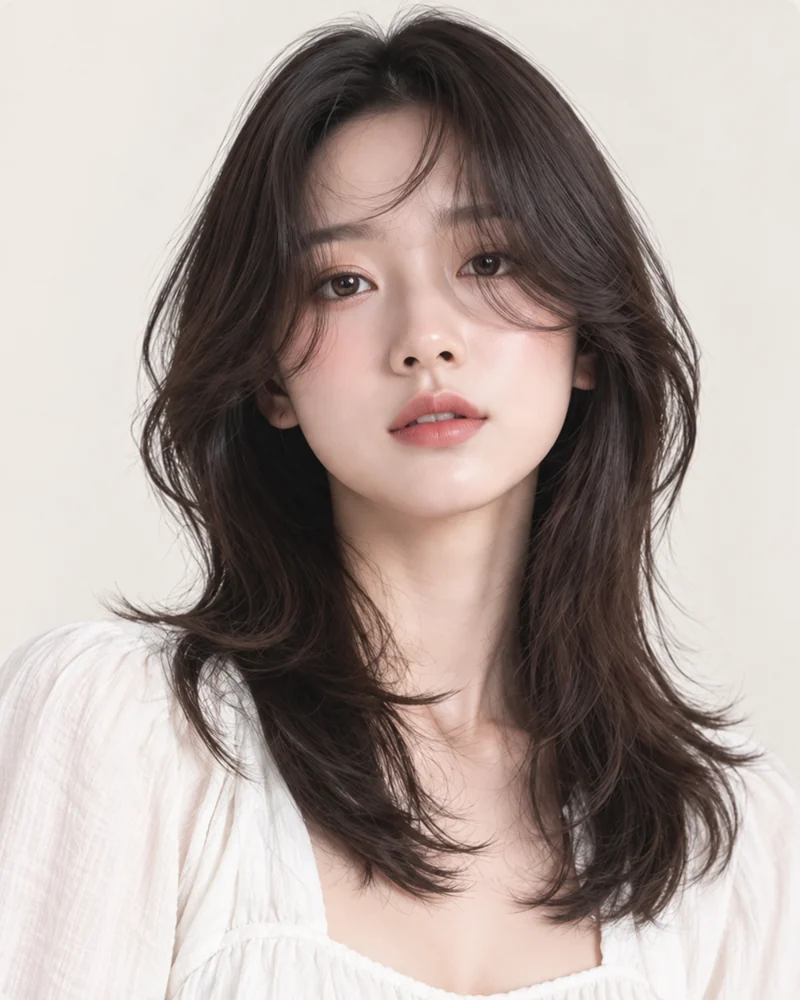
What is this style?
A hush cut uses quiet, blended layers rather than a sharply stepped outline. Shorter pieces around the face connect into the rest of the hair, reducing weight while retaining an easy silhouette. The style can include airy bangs, but the fringe is not identical in every version. TryOnMe offers this as a separate preset from its broader Layered Cut.
Hush Cut Variations
Banged Hush
Airy forehead detail with soft sides.
Long Hush
Keeps more lower length and movement.
What does it look like?
Notice the lighter edges around the cheeks and the way the outer layers move away from the face. The shape should remain soft around the shoulders instead of looking like a pasted hair overlay. Our card shows style inspiration; your result uses your uploaded portrait as the identity source.
Things to consider
If your hair is fine, ask how much weight can be removed without making the ends feel sparse. If it is thick, discuss where the layers should begin. Compare the AI preview with your original image and tell your stylist which parts you like, rather than treating it as an exact haircut plan.
Start with my photo
Your photo is never shown on public style pages.
Try Hush Cut on My Photo ↗Frequently Asked Questions
Can I preview this style?
Yes. Choose an available look and upload your photo. An AI result is a visualization, not a guarantee of a real haircut.
Will my face change?
TryOnMe aims to keep your facial identity consistent. Compare the original and generated image.
Is my photo published here?
No. Your portrait is handled in the private try-on flow.