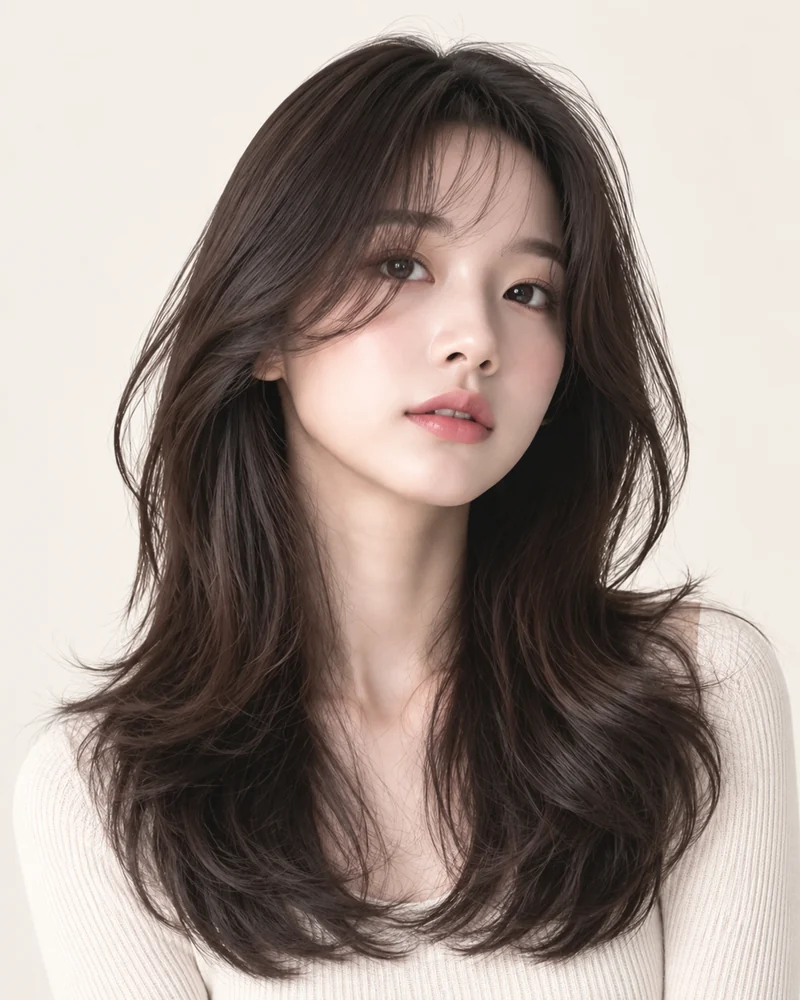
What is this style?
Long layers create movement without replacing the entire outline with a blunt edge. Pieces near the face can be shorter, while the back remains long enough to show a flowing shape over the shoulders. The distribution of layers matters as much as the overall length: too many short pieces change the silhouette, while subtle layers may barely appear.
Long Layered Cut Variations
Face-Framing Layers
Shorter front pieces add movement near the cheeks.
Soft Long Layers
Gentle lower layers maintain a fuller edge.
What does it look like?
Look for depth at the sides and motion through the lower half, with the hair extending naturally in the available photo frame. Our Layered Cut preset gives a long, face-framing direction. If your source image is closely cropped, the model can only show the portion that fits the frame.
Things to consider
Decide whether you want the front layers to be easy to tuck behind the ears and how often you heat-style. Tell your stylist the shortest length you would accept. A preview helps start that conversation, but it cannot predict the way your own hair will fall after a real cut.
Start with my photo
Your photo is never shown on public style pages.
Try Long Layers on My Photo ↗Frequently Asked Questions
Can I preview this style?
Yes. Choose an available look and upload your photo. An AI result is a visualization, not a guarantee of a real haircut.
Will my face change?
TryOnMe aims to keep your facial identity consistent. Compare the original and generated image.
Is my photo published here?
No. Your portrait is handled in the private try-on flow.